Songs, notes & practice
Your song board
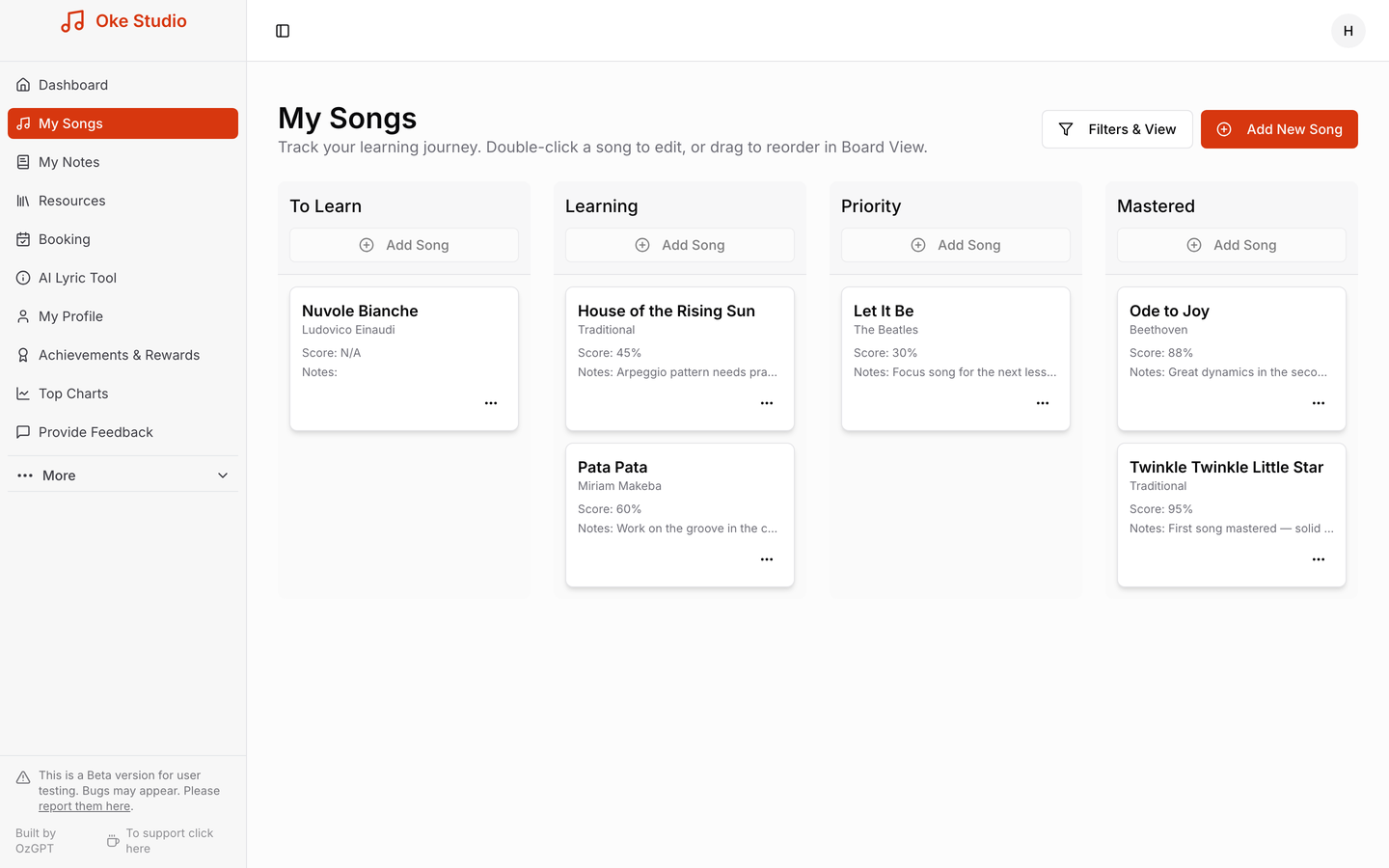
My Songs is where your repertoire lives. Every song you're working on sits in one of four columns — To Learn, Learning, Priority and Mastered — and you move it along as you improve. Add a song with Add New Song, give it a progress score as you go, and drag songs between columns in Board View (or double-click one to edit it).
Each song card keeps everything about that piece in one place: the artist, your progress score, and notes — including notes your teacher has left on it. When a song finally lands in Mastered, you've got a record of the whole journey (and you earn a healthy batch of Oke Coins — see Oke Coins & rewards).
Notes, lesson recaps & homework
My Notes is your practice notebook. Jot down quick ideas ("chord shapes to remember"), build a practice routine, or keep goals you're working towards. If you're linked with a teacher, their lesson recaps appear here too — with the topics you covered and a homework checklist you can tick off between lessons. Archived notes are hidden, so the page stays tidy.
Resources
The Resources page collects links and materials your teacher shares with you — backing tracks, sheet music, technique videos. On Oke Pro you can also suggest resources back to your teacher.
The AI Lyric Tool
Need the words to practice with? The AI Lyric Tool fetches song lyrics instantly so you can sing or play along without hunting the internet. It's an Oke Pro feature, and using it even earns you a couple of coins each time.
Next: Oke Coins & rewards · Booking lessons