Booking lessons
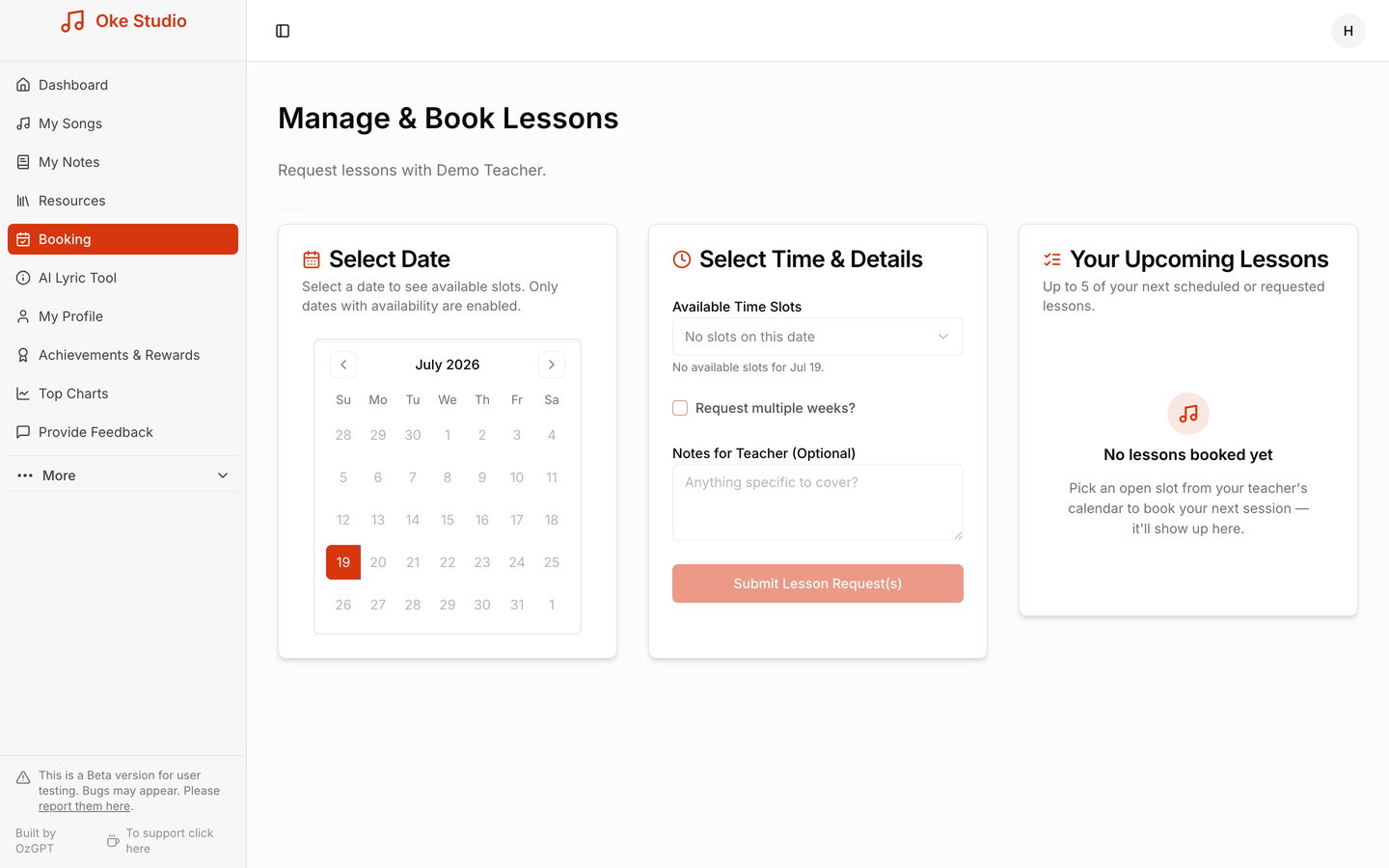
Once you're linked with your teacher (see Getting started), the Booking page lets you book lessons directly into their real availability — no back-and-forth messages.
How it works
- Select a date. The calendar only enables dates where your teacher has open availability, so you can't pick a time that doesn't suit them.
- Choose a time slot from the available slots on that date, and optionally add a note for your teacher — anything specific you'd like to cover.
- Submit your lesson request. Your teacher confirms it, and the lesson appears under Your Upcoming Lessons (your next five scheduled or requested lessons are always listed there).
Booking several weeks ahead? Tick Request multiple weeks to request the same slot across consecutive weeks in one go.
Changes and cancellations
Plans change — you can request to cancel a booked lesson from the app, and your teacher approves the change so you're both always looking at the same schedule.
Next: For teachers · FAQ